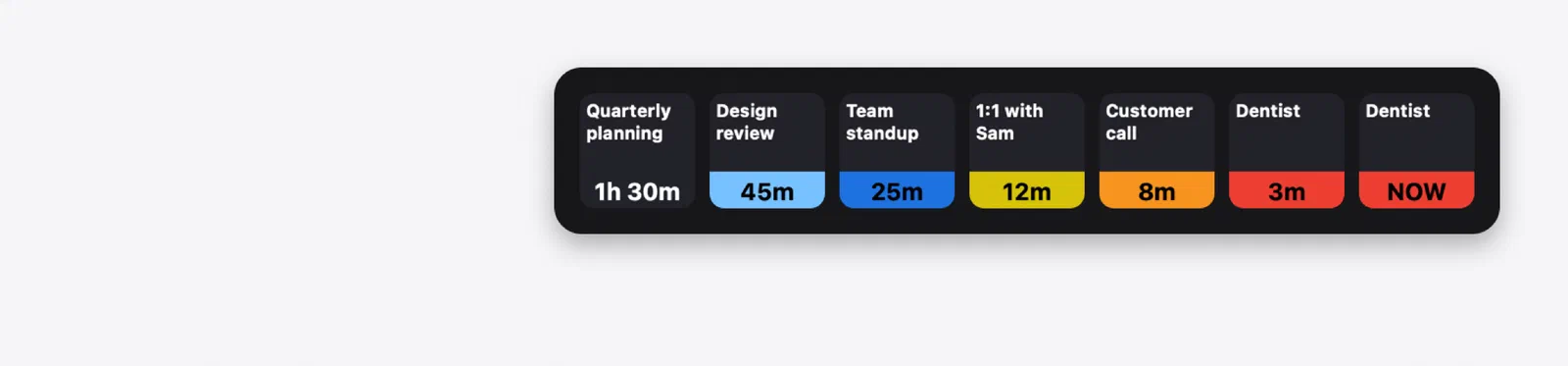
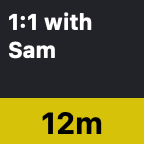
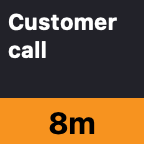
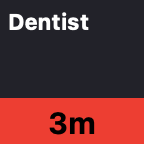
Calendar Alerts puts your next meeting on an Elgato Stream Deck key. The key shows the title of your next event today and counts down to it, changing color as it gets closer, so a quick glance tells you how much time you have left. When it's time, it flashes NOW.
It's a free plugin for the Stream Deck app on the Mac. It's open source, and your calendars are read on your Mac and never leave it, so there's no account, no tracking and no cloud service. All of the details are over at sdcalendaralerts.tmproductions.com, and the source can be found on GitHub.

Why I Built This
The idea isn't originally mine. TJ Luoma's icalbuddy-km-and-stream-deck used icalBuddy and Keyboard Maestro to show the time until your next meeting on a Stream Deck key, and the colors for each stage of the countdown come from there. I had problems getting the shell scripts and Keyboard Maestro to work reliably, though.
So I switched to a version built with Shortcuts, based on ringmaster's iCal Daily Schedule via iOS/OSX Shortcut on the Obsidian forum. That worked for a while, until Shortcuts started causing issues of its own, getting stuck trying to read events for hours at a time. That's when I decided to build something more native, and Calendar Alerts is the result.
What It Does
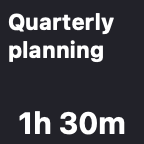
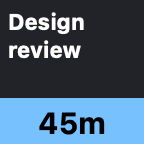
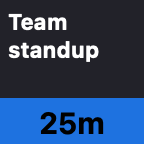
- Color-coded countdown. Light blue, blue, yellow, orange and red as the event gets closer, then a flashing NOW in the final minute.
- An alert sound. Your Mac's alert sound plays at 60, 30, 15 and 5 minutes before each event. You can pick other times, have it play every minute for the last five, or turn it off.
- Only what's still to come. The key shows the next event today. Cancelled events and events you've declined are skipped.
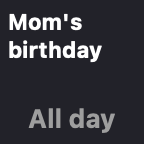
- Birthdays and holidays. When the meetings are over, the key shows today's all-day event, marked All day, until a time you choose. Or you can leave all-day events off.
- Press to open the event. Pressing the key opens your calendar app or web calendar, and where it can, it goes straight to the event it's counting down to. That works with Calendar, Fantastical, BusyCal, Outlook, Zoom, Things and other apps you have installed, web calendars like Google Calendar, Outlook and iCloud, or any other app or web page.
- Different keys for different calendars. Every key has its own calendars and settings, so you can have one for work and another for the family.
- Tidy titles. A leading room number is trimmed, so "101 Team Standup" fits as "Team Standup".
At the End of the Day
After your last event, the key shows something nicer than a blank square. By default, that's the actual phase of tonight's moon, from NASA's Dial-A-Moon gallery. There are a few other images to pick from, or you can type your own message or drop in any picture.
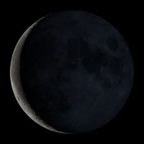

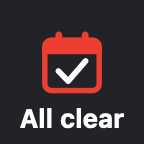

The plugin icon, the smiling calendar and the infinity clock come from Perpetual, a calendar app of mine that's coming soon. The moon phase is worked out the same way Perpetual does it.
Getting Started
You need a Mac running macOS 14 Sonoma or later, version 6.4 or later of the Stream Deck app, and any Stream Deck with keys.
- Download the plugin. It's signed and notarized by Apple, so it opens like any other download.
- Double-click it. The Stream Deck app opens and asks to install the plugin.
- In the Stream Deck app's list of actions, find the Calendar Alerts group and drag Next Appointment onto a key.
- When macOS asks whether "StreamDeck Calendar Alerts" can access your calendars, click Allow.
To update it, just download the newer version and double-click it the same way. The README covers every setting, and there's a troubleshooting section if something goes wrong.
Calendar Alerts is open source.
Elgato and Stream Deck are trademarks of Corsair Memory, Inc. Mac and macOS are trademarks of Apple Inc. Calendar Alerts isn't affiliated with, endorsed by, or sponsored by Elgato, Corsair, or Apple.